
A few weeks ago I sat down with a cup of tea, ready to finish a small task that should have taken fifteen minutes. I opened my phone to check a note. Then a notification pulled me into a message, which led to an email, which led to a calendar alert. By the time I looked up, almost an hour had disappeared and the task was still waiting.
Moments like that are a strong reminder that good intentions are not enough. Without a system to organise our time, even simple days can slip into clutter and unfinished work. That is exactly why time management apps have become so valuable. They work like a digital sidekick in the daily tug-of-war with the clock, guiding the flow of your day, helping you decide what truly matters, and keeping the creeping chaos from taking over.
Our fascination with controlling time is not new. Long before phones and smart calendars, ancient sundials tracked the movement of the sun. Now we have AI-powered schedulers that try to anticipate our needs before we realise them. It has been an incredible journey from simple timekeeping to intelligent digital assistants, all driven by the same desire to make each day feel more meaningful and manageable.
IN this guide we will take a look at five of the most effective time management apps available today. Each one offers a practical way to take charge of your schedule so your to-do list finally works on your terms.
Table of Contents
The Benefits Of Using Time Management Apps
These apps are not just timers and task trackers. With consistent use, they can genuinely improve your productivity and reshape your workday.
Picture getting more done without being overwhelmed with the thought of how much work is pending. Picture the calm that comes from ticking off goals you once kept pushing aside. Picture making decisions faster because everything you need is already organised. And maybe, best of all, picture finally having space for both work and life without feeling guilty about either.
Think of these apps like a reliable swiss knife of productivity. One tool that steps in when you need structure, clarity, reminders, planning, or a gentle nudge to stay focused. They are built to support you in more ways than one.
Here are some from the wide range of challenges time management apps can help you to address:
- Task Mastery: Create anything from a quick shopping list to a full project plan. Add deadlines, set priorities, and break things down so nothing feels overwhelming.
- Time Tracking: Use timers or add entries yourself to see where your hours are actually going. Some apps even analyse your phone and laptop activity to show you the patterns you didn’t realise were eating up your day.
- Crystal-Clear Calendars: See your week at a glance, block out focus time, and sync everything with the other tools you rely on so nothing gets double-booked.
- Never Miss a Beat: Helpful reminders and notifications step in before tasks slip through the cracks instead of nagging you after it’s too late.
- Teamwork That Actually Works: Share tasks, leave comments, assign responsibilities, and keep everyone aligned without endless back-and-forth messages.
- Get to Know Your Habits: Reports and analytics show where your time goes, which projects take the most energy, and what might need adjusting.
- Focus Mode On: Some apps can silence notifications or block distracting sites and apps when you need uninterrupted time to stay in flow.
Top Task & Time Planning Apps
Now, let’s delve into the heart of the matter – a curated selection of the top time management apps available today:
1. Todoist: The Zen Master of To-Do Lists
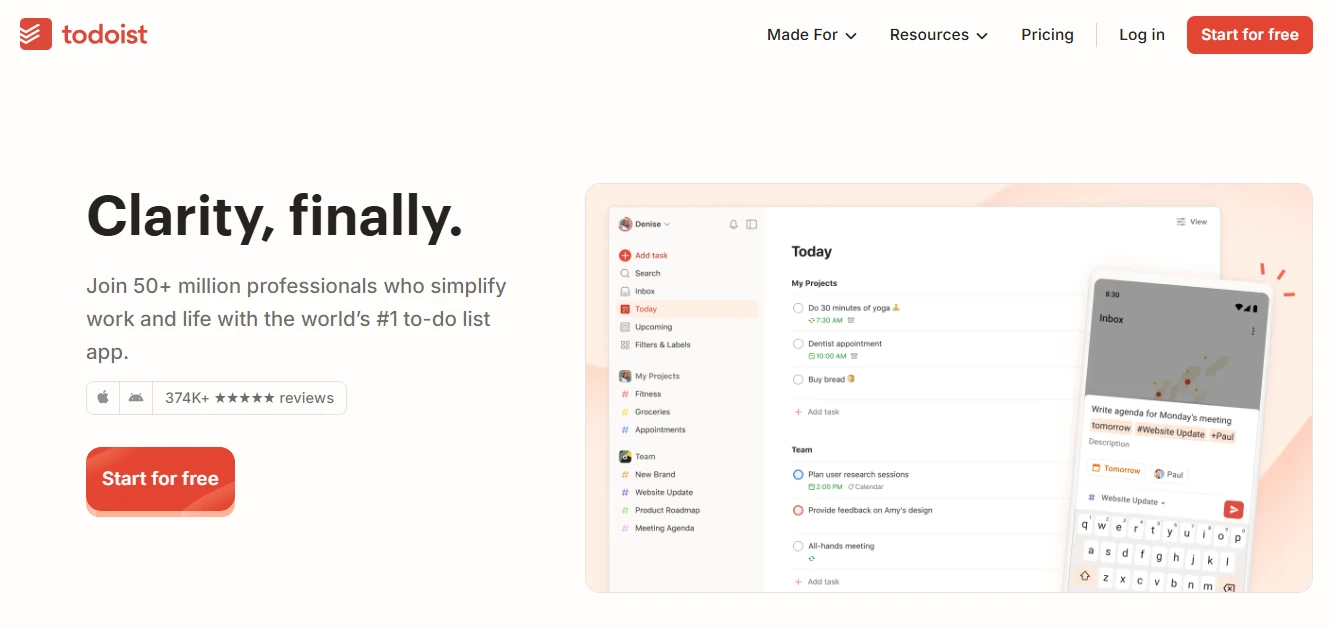
If you’ve ever felt overwhelmed by a mental to-do list that keeps growing faster than you can tackle it, Todoist might be exactly what you need. This cross-platform powerhouse has built a loyal following by doing one thing exceptionally well: turning chaos into clarity.
What Makes Todoist Special
At its core, Todoist is deceptively simple – you add tasks, set dates, and check them off. But dig a little deeper, and you’ll find a sophisticated system that grows with your needs. Tasks can be organized into projects and sections, broken down into subtasks, tagged with labels, and filtered into custom views that show exactly what you need to see when you need to see it.
Want to see only high-priority client work due today? Easy. Need to track everything related to your home renovation? Create a project with sections for each room. The flexibility here is real, and it doesn’t require a PhD to figure out.
The Features That Actually Save You Time
The standout feature is natural language processing that feels almost magical. Type “Call dentist every 6 months starting Jan 15,” and Todoist automatically understands you want a recurring task on the 15th of January and July. No clicking through date menus or configuring complex repeat patterns – just write it like you’d say it.
The Today and Upcoming views give you a realistic picture of your commitments. There’s something clarifying about seeing your entire week laid out in front of you – it forces you to confront whether you’ve actually overcommitted (spoiler: you probably have). You can switch between list views, Kanban-style boards, and calendar layouts depending on how your brain likes to process information.
For the goal-oriented among us, Todoist Karma gamifies productivity by tracking your completion streaks and daily task counts. It’s surprisingly motivating to maintain your streak, even if you know intellectually that it’s just virtual points.
Who Should Use It?
Todoist works across virtually every platform you can think of – web, mobile, desktop, browser extensions – and syncs instantly between them all. It integrates smoothly with Google Calendar, Outlook, Slack, and over 90 other tools, so it fits into your existing workflow rather than demanding you change everything.
The Free plan covers the basics and is genuinely useful for personal task management. The Pro plan (around $5/month with annual billing) unlocks reminders, unlimited projects, and an AI assistant – features that serious productivity enthusiasts will quickly find indispensable. Teams should look at the Business plan (about $8/month per user), which adds shared workspaces and administrative controls.
The Real Talk: Pros and Cons
What works: The interface is clean and fast, the recurring task system is bulletproof, and the cross-platform experience is seamless. You can capture a task on your phone during your commute and handle it later on your desktop without missing a beat. The collaborative features make it surprisingly effective for small teams who need to delegate and track shared work.
What doesn’t: Advanced features live behind the paywall, which can feel limiting if you’re trying to squeeze everything out of the free tier. Power users who want deep workflow automation or extensive customization might eventually hit the ceiling of what Todoist offers.
But for most people trying to wrangle their time and tasks into something manageable? Todoist delivers exactly what it promises: a reliable system that gets out of your way and lets you focus on actually doing the work instead of organizing it endlessly.
Why It’s Great
Todoist stands out for its exceptional user-friendliness, coupled with powerful task organization capabilities. Its natural language input streamlines task creation, and it offers a variety of views (lists, Kanban, calendar) to suit different preferences. Collaborative features further enhance its versatility.
Best For
Individuals and small teams seeking simplicity without sacrificing power in managing tasks and projects.
Pricing
| Plan | Price | Best For | Key Features |
|---|---|---|---|
| Free | $0/month | New or casual users | Limited active projects, basic labels/filters, core task management |
| Pro | ~$5/user/month (billed annually) | Power users and solo professionals | Hundreds of projects, reminders, labels, filters, calendar view, activity history, AI assistant |
| Business | ~$8/user/month (billed annually) | Teams | Shared workspace, team projects, roles/permissions, team activity logs, centralized billing |
Note: Pricing reflects the December 2025 update. For the latestprices, check out the Todoist website.
Bottom Line
Todoist works everywhere (web, mobile, desktop, browser extensions) and plays nice with Google Calendar, Outlook, Slack, and 90+ other tools. If you want a clean, fast system that helps you see your day clearly and builds better time habits through consistency, this is it.
2. Motion: Your AI-Powered Scheduler
Most productivity tools help you list what needs to get done. Motion goes further – it actually schedules when you’ll do it. If you’ve ever stared at a packed calendar and a long task list wondering how they’re supposed to fit together, Motion’s AI does that math for you, constantly adjusting your day as priorities shift and new work arrives.
What Makes Motion Special
Motion connects to your existing calendars and pulls in all your meetings and events. Then you add your tasks and projects with deadlines, priority levels, and time estimates. Here’s where it gets interesting: Motion’s AI automatically schedules those tasks into available time slots on your calendar, treating them like appointments you’ve made with yourself to actually get work done.
When a meeting gets rescheduled or a new urgent task appears, Motion doesn’t just sit there – it reshuffles your entire day, pushing lower-priority work to later slots and protecting time for high-impact tasks. It’s like having a personal assistant who constantly optimizes your schedule based on what matters most and what’s due soonest.
The built-in meeting scheduler with booking links means external people can grab time with you without the usual email tennis, but only within parameters you control – buffer times between meetings, maximum meetings per day, and specific “meeting hours” that keep the rest of your calendar protected for actual work.
The Features That Actually Save You Time
The AI task planner is the headline feature. Instead of manually dragging tasks onto your calendar (and inevitably running out of time or forgetting to update when things change), Motion takes your entire backlog and automatically fits it into your week based on deadlines, priorities, and your working hours. It updates in real time as your schedule shifts, which means you’re always looking at a realistic plan rather than wishful thinking from Monday morning.
Motion offers calendar and project views where you can see everything from a day-by-day timeline to a higher-level project perspective. You can set recurring work, and Motion will intelligently break large tasks into smaller chunks that fit around your meetings and personal commitments, rather than blocking off unrealistic four-hour focus sessions that never actually happen.
The Meeting Assistant deserves special mention. Shareable booking pages let others schedule with you, but Motion enforces your rules: preferred time windows, grouping meetings back-to-back to preserve longer focus blocks, and hard limits on daily meetings so you don’t accidentally book yourself into eight consecutive video calls.
Who Should Use It?
Motion works via web app and mobile apps for iOS and Android, and connects seamlessly with Google Calendar and Microsoft 365. It integrates with Zoom and Microsoft Teams so meeting links are automatically included in your schedule. The experience is polished and fast – important when you’re checking what’s next throughout your day.
Motion doesn’t offer a free plan, but provides a trial period (7-14 days depending on current promotions) to test whether the AI-driven approach clicks for you. Paid plans start with the AI Workplace tier for individuals, typically in the range of tens of dollars per user per month on annual billing. For teams, AI Employee plans (Light, Standard, Plus) range from around $99 to several hundred dollars per month depending on the number of seats and AI credit limits for advanced features.
The Real Talk: Pros and Cons
What works: The automated time blocking is genuinely impressive – it solves the persistent problem of having a task list and a calendar that exist in parallel universes. The deadline-aware rescheduling means you’re less likely to miss commitments because something fell off your radar. Combining calendar, tasks, projects, and meeting booking in one interface reduces tool-switching friction, and the focus time protection keeps you from death-by-meetings.
What doesn’t: The lack of a free plan means you need to commit financially to test whether Motion fits your workflow. Pricing is higher than simpler task managers, which makes sense given the AI sophistication but may be a barrier for individuals or small teams on tight budgets. The AI-driven approach, while powerful, can feel rigid or complex for people who prefer full manual control over their calendars – if you like meticulously hand-crafting your schedule, Motion’s constant rearranging might feel intrusive rather than helpful.
Why It’s Great
Motion excels at turning your intentions into a concrete, achievable daily plan. Its AI understands that tasks need time, deadlines matter, and focus blocks are precious. For people who struggle with the gap between knowing what needs to be done and actually finding time to do it, Motion bridges that gap automatically and intelligently.
Best For
Busy professionals, founders, and managers who juggle multiple projects and frequent meetings, and who want an AI assistant to handle the Tetris of fitting everything into a realistic schedule without manual micromanagement.
Pricing
| Plan | Price | Best For | Key Features |
|---|---|---|---|
| AI Workplace (Individual) | ~$34/month (or ~$19/month billed annually) | Solo professionals | AI task scheduling, calendar integration, unlimited tasks and projects, meeting scheduler |
| AI Employee (Light) | Starting ~$99/month | Small teams (5-10 users) | Team collaboration, project management, limited AI credits |
| AI Employee (Standard) | ~$200+/month | Growing teams | More AI credits, advanced features, team workload views |
| AI Employee (Plus) | Several hundred $/month | Larger teams | Maximum AI credits, priority support, advanced customization |
Note: Pricing varies based on user count and billing cycle. All plans include a trial period. Check Motion’s website for current pricing as structures evolve.
Bottom Line
Motion is for people tired of planning their day manually only to watch it fall apart by 10 a.m. If you want an AI that treats your time as the finite, precious resource it is – automatically scheduling deep work, intelligently handling conflicts, and protecting you from meeting overload – Motion delivers a genuinely differentiated experience. It’s not the cheapest option, but for the right user, the time saved and stress reduced make it worth every dollar.
Pure Time Tracking Apps
3. Clockify: The Time Detective
Ever wonder where eight hours of work actually disappeared to? Clockify answers that question with precision. Unlike task managers that help you plan what to do, Clockify focuses on tracking what you actually did – and for anyone who bills by the hour or just wants to understand their productivity patterns, that distinction matters.
What Makes Clockify Special
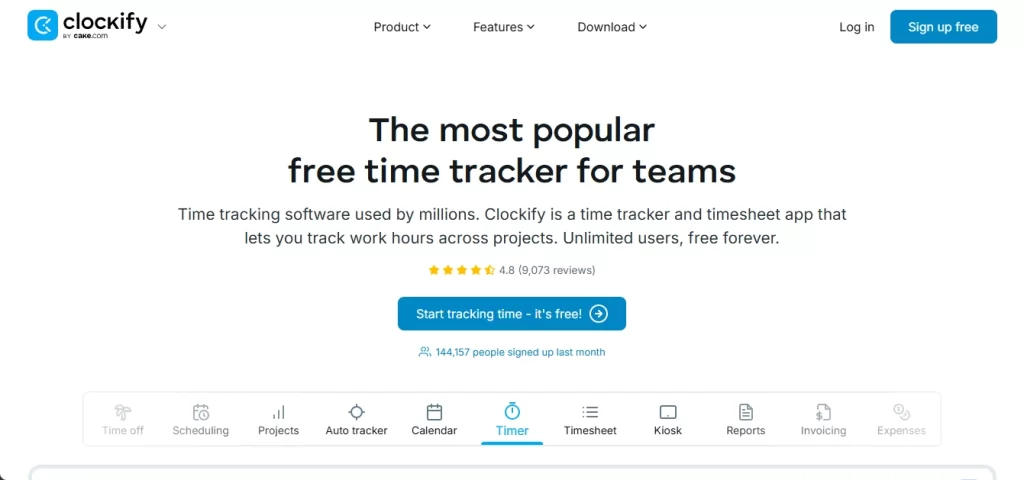
Clockify is built around one core idea: accurate time tracking should be effortless. Whether you prefer clicking a timer when you start a task, filling out a weekly timesheet at the end of the week, or dragging blocks onto a calendar, Clockify accommodates your style. Every time entry can be tagged with projects, tasks, clients, and billable status, giving you granular control over how you categorize your work.
This isn’t just about logging hours for the sake of it. Freelancers use it to generate client invoices backed by real data. Agencies use it to compare estimated project timelines against actual delivery times. Managers use it to spot bottlenecks and understand team workload. The flexibility is impressive.
The Features That Actually Save You Time
Clockify offers multiple tracking modes to match how you work. The one-click timer is perfect for task-switchers who need to start and stop throughout the day. Manual entry works for people who forget to track in the moment but can reconstruct their day later. The weekly timesheet view lets you batch-enter time across multiple days and projects at once – a lifesaver if you’re juggling several clients.
The idle detection feature is surprisingly useful. Step away from your computer for lunch, and Clockify notices. When you return, it asks if you want to discard that idle time, keeping your records honest without requiring you to remember to pause the timer every time you take a break.
For those who want deeper insights, the Pomodoro timer integration helps you work in focused sprints, while the auto tracker can passively log which apps and websites you’re using (if you enable it), giving you an unvarnished look at where your attention actually goes.
Reporting That Actually Tells You Something
Where Clockify really shines is in its reporting and dashboards. You can slice your time data by user, project, client, task, billable status, date range – basically any dimension you care about. Need to show a client exactly how many hours went into their project? Generate a detailed report in seconds. Trying to figure out if your team is consistently working overtime? The dashboard surfaces that immediately.
Reports are exportable for payroll processing, client invoicing, or internal reviews, making Clockify a genuine business tool rather than just a personal productivity experiment.
Who Should Use It?
Clockify works across web, desktop (Windows, macOS, Linux), mobile (Android, iOS), and browser extensions, so you can track time from anywhere. It integrates with popular project management tools like Trello, Asana, and Jira, plus communication platforms like Slack, allowing you to start timers directly from the tools you’re already using.
The real differentiator is Clockify’s genuinely unlimited free plan. Most time trackers either limit users, projects, or features on their free tier. Clockify doesn’t. You can have unlimited team members tracking unlimited projects with core reporting intact – which is almost unheard of in this space.
The paid tiers (Starter, Standard, Pro, Enterprise) start at just a few dollars per user per month and add capabilities like advanced reporting, invoicing, expense tracking, GPS tracking, screenshots for remote work verification, scheduling, time-off management, and approval workflows.
The Real Talk: Pros and Cons
What works: The free tier is exceptionally generous, the variety of tracking modes means almost everyone can find a method that clicks, and the reporting is both powerful and easy to understand. For anyone who needs to track billable hours or manage team capacity, Clockify delivers serious value.
What doesn’t: The interface and feature set are laser-focused on time tracking rather than general task management. If you’re looking for a system to organize your to-do list or manage project workflows, Clockify won’t be your all-in-one solution. Advanced features like GPS tracking, screenshot monitoring, and sophisticated automation require upgrading to higher-tier plans.
Why It’s Great
Clockify excels at making time tracking painless and insightful. Its multiple tracking methods accommodate different work styles, and its robust reporting turns raw time data into actionable insights. The unlimited free tier makes it accessible to solopreneurs and small teams who need professional-grade time tracking without the professional-grade price tag.
Best For
Freelancers, agencies, and teams who need to track billable hours, manage client projects, or gain visibility into how time is actually spent across their workforce.
Pricing
| Plan | Price | Best For | Key Features |
|---|---|---|---|
| Free | $0 (unlimited users) | Small teams and individuals | Unlimited users and projects, core time tracking, basic reporting |
| Starter | ~$4-5/user/month | Growing teams | Advanced reporting, invoicing, time estimates |
| Standard | ~$6-7/user/month | Teams needing control | Expenses, GPS tracking, screenshots, scheduling |
| Pro | ~$10-11/user/month | Larger organizations | Approvals, time-off management, custom fields, forecasting |
| Enterprise | Custom pricing | Large enterprises | Dedicated support, SSO, advanced security, custom integrations |
Note: Pricing is approximate and may vary based on billing cycle and region. Check Clockify’s website for the latest prices.
Bottom Line
Clockify is the gold standard for time tracking on a budget. If you need to know where your hours are going – whether for billing clients, managing team capacity, or just understanding your own productivity patterns – Clockify gives you the tools to track, analyze, and improve without requiring a financial commitment upfront. It’s professional-grade time intelligence that doesn’t cost a fortune.
4. Toggl Track: Time Tracking That Doesn’t Get in Your Way
If you’ve ever lost track of billable hours, underestimated how long projects actually take, or simply wondered where your workday vanished, Toggl Track gives you answers without demanding you become a time-tracking expert. It’s built around a simple premise: tracking time should take seconds, not minutes, so you can focus on the work instead of the documentation.
What Makes Toggl Track Special
Toggl Track’s philosophy is flexibility. You can start a timer with one click when you begin a task, or manually log time later if you forgot to track in the moment. Each time entry can be tagged with clients, projects, tasks, descriptions, and custom tags, giving you granular detail about where your hours go without requiring complex setup.
The calendar view is particularly clever for reconstruction. Import events from your calendar and convert them into time entries, helping you capture billable hours you might otherwise forget – especially useful at the end of a hectic week when you’re trying to invoice accurately but can’t quite remember what happened Tuesday afternoon.
The Features That Actually Save You Time
Toggl Track offers multiple tracking modes to match how you work. The live timer is perfect for task-focused work – click to start, click to stop, move on. Manual entry works when you’re reconstructing your day after the fact. Calendar-based logging helps you visualize your time alongside meetings and commitments. Offline tracking means you don’t lose data even when your internet drops during a coffee shop work session.
The built-in Pomodoro mode helps you work in focused 25-minute sprints with built-in breaks, turning time tracking into a productivity technique rather than just administrative overhead. Smart reminders and idle detection nudge you when you’ve forgotten to start tracking, or when you’ve walked away from your computer with a timer still running – small touches that keep your data accurate without constant vigilance.
Where Toggl Track really shines is in its detailed reports and dashboards. Slice your time data by client, project, user, tag, billable status, date range – basically any dimension you care about. See which clients are consuming the most hours, which projects are most profitable, who on your team is overloaded, and where time is leaking. Reports export cleanly for invoicing, internal reviews, or client updates, making Toggl Track a genuine business intelligence tool for time-based work.
Who Should Use It?
Toggl Track works across web, Windows, macOS, Linux, Android, and iOS with seamless syncing, so you can start a timer on your phone during a client call and stop it later on your laptop without missing a beat. It integrates with over 100 tools including Google Calendar, Outlook, Asana, Trello, Slack, and QuickBooks. Browser extensions and API support mean you can embed timers directly into your existing workflows – start tracking without leaving the tool you’re already using.
The Free plan works well for individuals or very small teams who need core time tracking and basic reports with limited projects and clients. Once you need billable rates, advanced reporting, team management features, approvals, scheduled reports, or deeper integrations, the paid tiers – Starter, Premium, and higher – unlock these capabilities, priced per user per month with discounts for annual billing.
The Real Talk: Pros and Cons
What works: The timer interface is almost comically simple – you can learn it in 30 seconds. Cross-platform support is rock-solid, and the flexibility in tracking methods means almost everyone can find an approach that fits their style. The reports are powerful enough for agencies and freelancers who live and die by billable hours, yet clear enough that you don’t need a data science degree to understand them. The generous free tier makes it accessible for testing and solo use.
What doesn’t: Toggl Track is laser-focused on time tracking, not full project management. If you need task assignment, dependencies, file sharing, and collaboration features, you’ll need a separate tool. Many advanced capabilities – billable rates, sophisticated reporting, team approvals, and admin controls – require paid plans, which can add up for growing teams. It’s also pure tracking – there’s no invoicing built in, though it integrates with invoicing tools.
Why It’s Great
Toggl Track excels at making time tracking painless and insightful. Its multiple tracking modes accommodate different work styles and situations, smart features reduce manual friction, and robust reporting turns raw time data into actionable business intelligence. For freelancers who need to bill accurately, teams who want to understand capacity, or anyone trying to get a grip on where their hours actually go, Toggl Track delivers professional results without professional complexity.
Best For
Freelancers, consultants, agencies, and small to mid-sized teams who need accurate time tracking for billing, project costing, or productivity analysis without the overhead of complex project management software.
Pricing
| Plan | Price | Best For | Key Features |
|---|---|---|---|
| Free | $0 (up to 5 users) | Individuals and tiny teams | Unlimited time tracking, basic reports, limited projects/clients |
| Starter | ~$10/user/month (billed annually) | Growing freelancers and small teams | Billable rates, favorites, bulk edit, scheduled reports, project templates |
| Premium | ~$20/user/month (billed annually) | Agencies and established teams | Time audits, time estimates, alerts, labor costs, saved reports, team management |
| Enterprise | Custom pricing | Large organizations | SSO, dedicated support, priority onboarding, advanced security and controls |
Note: Pricing is approximate and reflects annual billing. Monthly billing is typically higher. Check Toggl’s website for current rates.
Bottom Line
Toggl Track is time tracking done right – simple enough to use every day without resentment, powerful enough to provide real business value. Whether you’re a freelancer making sure every billable minute counts, a team lead trying to understand capacity, or just someone who wants to know where the day went, Toggl Track gives you accurate data and actionable insights without the complexity that makes most time tracking tools feel like punishment. It respects your time by not wasting it.
5. Harvest: Where Time Tracking Meets the Bottom Line
Most time trackers stop at telling you where your hours went. Harvest goes further – it connects those hours directly to your revenue. If you’re a freelancer or agency that needs to not just track time but also budget projects, manage expenses, and get paid, Harvest handles the entire workflow from timer to invoice in one cohesive system.
What Makes Harvest Special
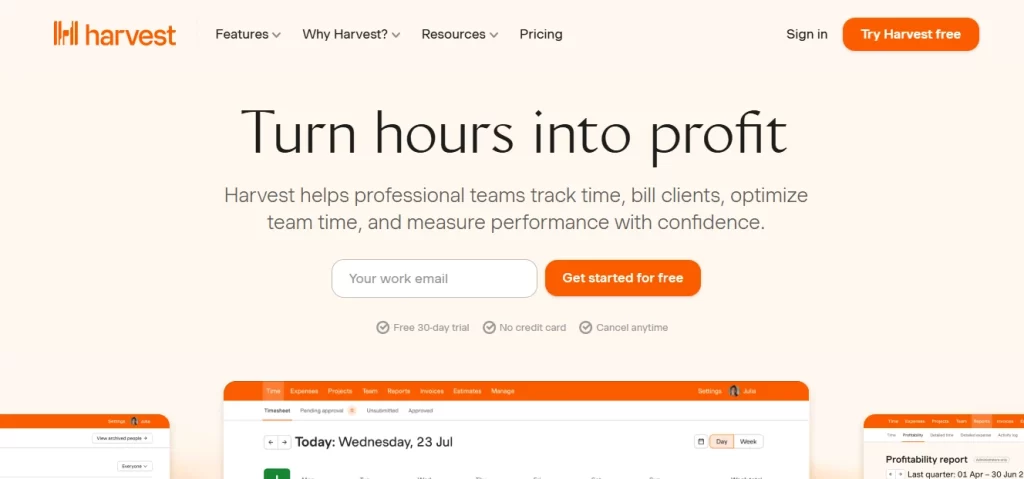
Harvest recognizes that time tracking isn’t an end in itself – it’s a means to profitability. You track time via simple one-click timers or manual entries, linking each hour to specific projects, tasks, and clients. But unlike pure time trackers, Harvest then helps you do something with that data: forecast project budgets, compare planned versus actual costs, generate invoices, add expenses, and schedule recurring reports.
The project budgeting feature is where Harvest differentiates itself. Set hourly or fixed-price limits per project, and Harvest shows real-time progress bars indicating how much budget you’ve consumed. When you’re approaching or exceeding scope, you get warnings – giving you the chance to have difficult conversations with clients before you’ve donated 20 unbillable hours to their project.
The Features That Actually Save You Time
The intuitive timer makes capturing time effortless. Start and stop with one click, and idle detection asks if you want to discard time when you’ve stepped away. Calendar integration helps you reconstruct your day by pulling in meetings and events, and timesheet editing is straightforward when you need to adjust entries after the fact.
Budgeting tools turn Harvest from a passive tracker into an active management system. Set limits, watch progress bars fill up, and receive over-budget warnings that help you manage scope creep before it kills profitability. You can see at a glance which projects are on track, which are bleeding hours, and where you need to tighten things up.
The comprehensive reporting covers time, expenses, profitability, and team utilization. Want to know your profit margin per client? Which team members are overloaded? Which projects consistently run over budget? Harvest’s reports answer these questions and export cleanly to PDF, CSV, or directly to accounting software for seamless financial workflows.
The killer feature: invoicing directly from tracked time. Select the unbilled hours, add any expenses, customize the invoice, and send it. No exporting to spreadsheets, no manual calculations, no switching between three different tools. The entire cycle from work to payment lives in one place.
Who Should Use It?
Harvest works across web, iOS, and Android apps, plus desktop timers for Mac and Windows, ensuring you can track time from any device without sync issues. It connects with over 50 tools including Asana, Trello, QuickBooks, Xero, Slack, and Google Workspace, auto-populating time entries from other tools and syncing financial data bidirectionally with your accounting system.
Harvest offers a 30-day free trial with no credit card required – giving you plenty of runway to test whether it fits your workflow. After that, paid plans start at around $12 per user per month for core features like unlimited projects, clients, and invoices with basic reporting. Higher tiers add team scheduling, advanced budgeting capabilities, payroll integrations, and multi-company support, with volume discounts for larger teams.
The Real Talk: Pros and Cons
What works: The seamless integration of time tracking, budgeting, expenses, and invoicing creates a complete workflow that eliminates tool-switching friction. Project budgeting with real-time warnings helps you manage profitability proactively rather than discovering problems in retrospect. The interface is clean and professional – clients receiving Harvest invoices get a polished experience. It’s genuinely user-friendly for both solo freelancers and agencies with multiple team members.
What doesn’t: There’s no perpetual free plan, so you need to commit financially after the trial. Some advanced reporting and multi-client features are locked behind higher-tier paid plans. Harvest is optimized for billable work and client management rather than personal productivity – if you’re not invoicing anyone, you’re probably overbuying features you won’t use.
Why It’s Great
Harvest excels at connecting the dots between time spent and money earned. Its combination of accurate time tracking, intelligent budget management, and streamlined invoicing makes it ideal for anyone whose livelihood depends on billing hours accurately and profitably. The budgeting tools provide early warning signals before projects go sideways, and the reporting gives you the data to make better estimates and pricing decisions over time.
Best For
Freelancers, consultants, and agencies who need to track billable hours, manage project budgets, handle expenses, and generate professional invoices – all within a single, integrated system.
Pricing
| Plan | Price | Best For | Key Features |
|---|---|---|---|
| Free Trial | Free for 30 days | Testing and evaluation | Full access to all features, no credit card required |
| Pro | ~$12/user/month (billed monthly) or ~$10.80/user/month (billed annually) | Solo freelancers and small teams | Unlimited projects and clients, invoicing, expenses, basic reporting, integrations |
| Enterprise | Custom pricing | Larger agencies and organizations | Priority support, advanced permissions, multiple companies, dedicated account manager |
Note: Pricing is approximate. Harvest occasionally offers discounts for annual billing and volume. Check Harvest’s website for current rates and features.
Bottom Line
Harvest is the complete solution for service businesses that live on billable hours. It tracks time accurately, manages project budgets intelligently, and turns hours into invoices seamlessly – eliminating the administrative overhead that usually bogs down freelancers and agencies. If your business model is “time equals money,” Harvest ensures you’re capturing every billable minute and getting paid for it without drowning in spreadsheets and manual calculations. It’s professional time tracking that actually impacts your bottom line.
Notable Mentions
6. Asana: The Project Maestro
Asana is a comprehensive work management platform that helps teams organize projects, tasks, and timelines with multiple views (list, board, timeline, calendar) so everyone knows what to do, by when, and in what order.
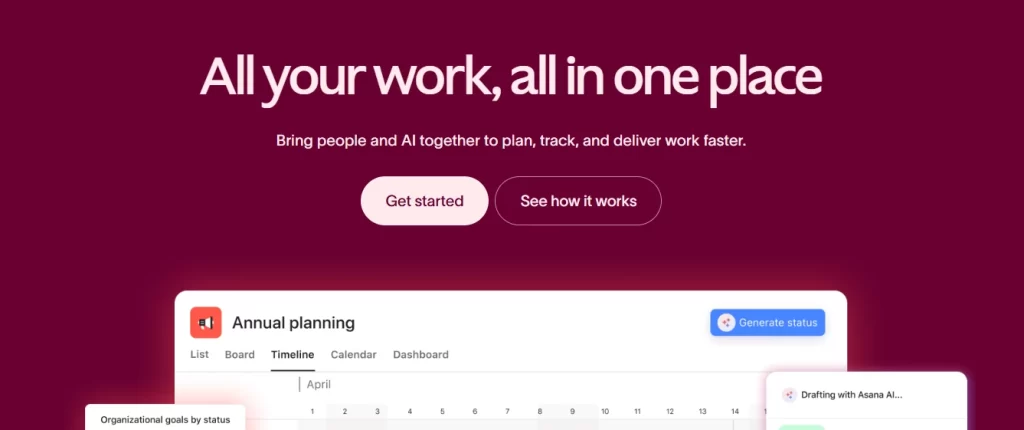
Why it’s notable: Asana excels at bringing order to collaborative chaos. Its flexibility in viewing and organizing work – combined with robust automation, dependency tracking, and workload management – makes it ideal for teams coordinating complex, multi-step projects. The “My Tasks” view aggregates everything assigned to you across projects, helping individuals manage their personal workload even within large team initiatives.
Key strengths: Multiple project views, strong collaboration features (comments, mentions, shared projects), automation that reduces manual coordination, workload tools that prevent team burnout by showing who’s overloaded before it becomes a crisis.
Worth noting: Built-in time tracking with estimates versus actuals helps improve future planning accuracy. Integrates deeply with Google Workspace, Microsoft 365, Slack, and dedicated time-tracking apps like Harvest and Everhour.
The catch: Overkill for simple personal to-do lists, meaningful time-tracking features require paid plans or integrations, and there’s a learning curve for teams new to structured project management.
Best for: Teams and organizations managing multi-step projects with dependencies, deadlines, and multiple contributors who need shared visibility into who’s doing what and when.
Pricing: Free tier for individuals and very small teams with basic features. Asana’s Paid plans (Starter ~$11/user/month, Advanced ~$25/user/month on annual billing) unlock Timeline views, automation, Workload management, and advanced reporting.
7. RescueTime: The Digital Habit Coach
RescueTime is an automatic time-tracking and focus app that runs silently in the background on your devices, tracking which apps, websites, and documents you use to show where your time actually goes and help protect deep-work hours.
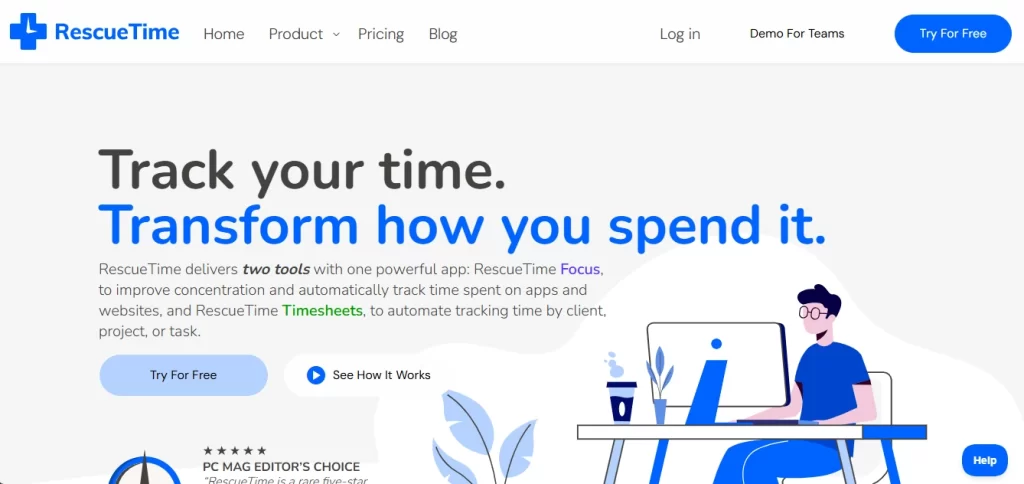
Why it’s notable: RescueTime closes the gap between perception and reality. It provides objective data about your work patterns without requiring you to start and stop timers – just install it and forget it. The insights are often eye-opening: discovering you spend 90 minutes daily in Slack when it feels like 20, or that your most focused work consistently happens in specific time windows.
Key strengths: Completely automatic tracking with no manual effort, behavioral analytics that reveal patterns you’d never notice otherwise, Focus Sessions that block distracting sites and send real-time nudges to keep you on track, burnout warnings based on work intensity patterns.
Worth noting: You can set goals like “3 hours of deep work per day” and get alerts when you’re hitting or missing targets. Integrates with Google Calendar and Slack to reflect meeting time in your activity data automatically.
The catch: Not designed for payroll or client billing – it’s optimized for personal productivity insights rather than billable hours. The most powerful focus features and detailed reports require paid plans. Some users are uncomfortable with comprehensive tracking, even though data stays private.
Best for: Knowledge workers, remote professionals, and anyone struggling with digital distractions who wants data-driven insights into their actual time usage and help building better focus habits.
Pricing: Free Lite plan with basic tracking and limited reports. RescueTime’s Premium Plan (~$12/month or ~$6.50/month annually) unlocks unlimited reports, Focus Sessions with site blocking, goals and alerts, and complete data history.
Things to Be Careful About with These Time Management Apps
Time management apps can genuinely boost productivity – but they also come with pitfalls that can backfire if you’re not careful. Here’s what to watch out for.
The Setup Trap: Organizing Instead of Doing
Feature-rich tools like Asana and Todoist make it dangerously easy to spend hours perfecting your system – color-coded labels, custom filters, intricate hierarchies – while actual work sits untouched. Your system should serve your work, not become the work itself.
The fix: Limit initial setup to two hours maximum. Start simple and add complexity only when you hit real limitations.
Analysis Paralysis: When Data Becomes Procrastination
RescueTime and Clockify provide fascinating insights, but endlessly analyzing reports and tweaking categories is just sophisticated procrastination. Data is only valuable if it changes your behavior.
The fix: Review analytics weekly, not daily. Extract one actionable insight, implement it, and move on.
Tool Overload: Managing Your Productivity Stack
Combining multiple tools – Todoist for tasks, Clockify for tracking, Asana for projects – creates cognitive overhead. You’re spending mental energy deciding which tool to use when and keeping systems in sync.
The fix: Start with one tool covering 80% of your needs. Add another only for specific, painful gaps.
Privacy and Data Concerns
Time tracking apps collect extensive data about your digital behavior. RescueTime sees every website and app you use. Team implementations of Clockify or Asana give managers visibility into how employees spend their time, which can feel invasive and breed resentment rather than trust.
Additionally, you’re trusting these companies with sensitive information about your work patterns, clients, and projects. Data breaches, policy changes, or company acquisitions could expose this information unexpectedly.
The fix: Read privacy policies carefully. If implementing team tracking, be transparent about what you’re monitoring and why – focus on outcomes, not surveillance. For personal use, consider whether you’re comfortable with the data collection trade-off.
The AI Dependency Problem
Motion’s AI scheduler can make you feel like you’ve lost control of your own day. When algorithms constantly rearrange your schedule, you might lose the ability to develop your own judgment about realistic planning.
The fix: Override the AI when your human judgment says otherwise. Periodically plan a day manually to maintain that skill.
Subscription Creep
Motion ($19-34/month), Todoist Pro ($5/month), Clockify Standard ($7/month), Asana Starter ($11/month) – stack a few together and you’re spending $40-80/month on productivity tools. That’s $500-1,000 annually.
The fix: Audit subscriptions quarterly. If you’re not actively using paid features, downgrade or cancel. Many people can accomplish 90% of their goals with free tiers.
The False Promise
No app can fix unrealistic workloads, poor boundaries, toxic cultures, or unclear priorities. Motion can’t schedule 60 hours of work into a 40-hour week. RescueTime will just show you data on your overwhelm.
The fix: Before blaming yourself or your system, honestly assess whether the problem is how you’re working or how much you’re working. Sometimes the answer isn’t a better app – it’s saying no or setting boundaries.
Time management apps are powerful tools when used intentionally. But remember: the goal isn’t perfect productivity metrics. It’s making meaningful progress on things that actually matter while maintaining your sanity and privacy.
Choose The Best Time Management Apps For Yourself Wisely
Time management apps represent powerful allies for busy professionals, offering a spectrum of features ranging from basic task lists to AI-powered scheduling and in-depth time analytics. When combined with other time management techniques like time auditing, they can really make your day shine.
Your next step? Dive in, experiment with a few of the best time management apps mentioned in this list, and discover the digital assistant that resonates with your unique workflow and helps you conquer your to-do list. Remember that the optimal app isn’t simply the one with the most features; it’s the one that genuinely empowers you to reclaim control of your time, alleviate stress, and achieve your goals, without inadvertently becoming another source of anxiety.